
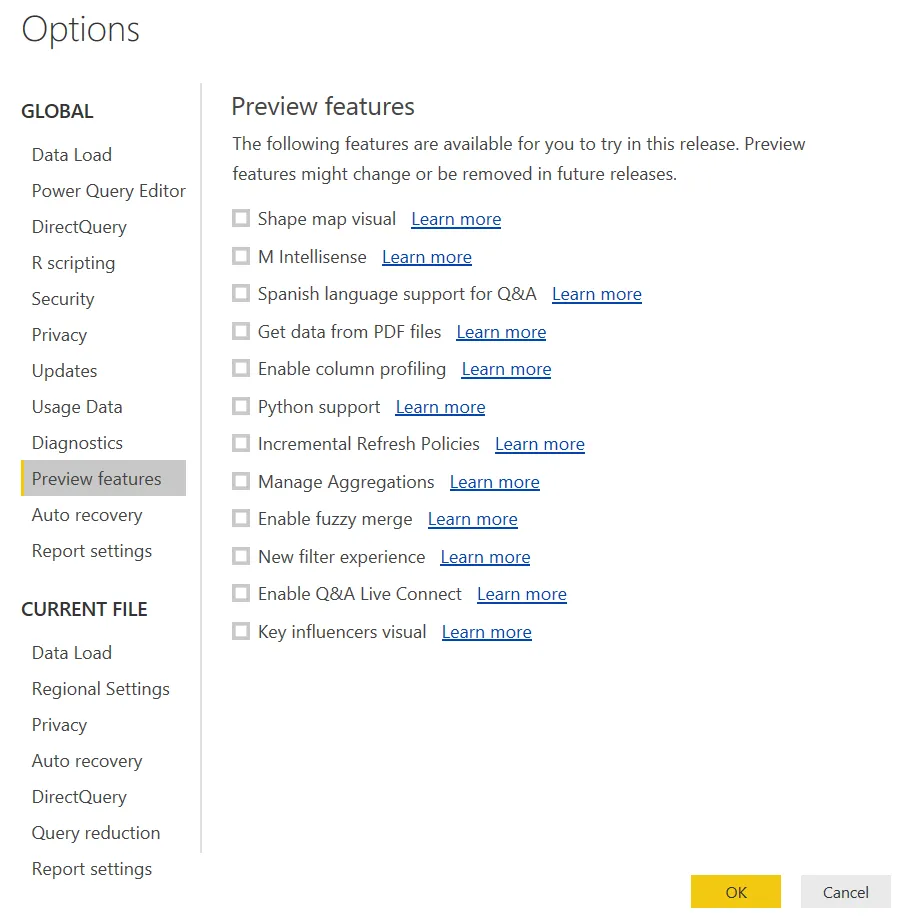
Power BI releases new updates frequently, and sometimes those updates are only available as a preview feature. In other words, the feature is not ready for complete release but it will work in most situations. This blog post will detail how top check for and enable preview features in Power BI.
- Open Power BI desktop.
- Note: It is not necessary to connect to any data, the opening modal can be closed.
- Click on “File” in the top left hand corner
- Select “Options and Settings”
- Click”Options” in the context menu that appears directly to the right of the File menu.
- Select “Preview Features” under the Global options menu.
For more Power BI related blog posts, check out our Power BI blog section here! Or you can learn more about Power BI preview features on Microsoft’s website here.