Power BI & Data

Power BI Pricing 2026: Pro vs. Premium Per User vs. Fabric Capacity

Premium capacity is retired. Compare Power BI Pro, Premium Per User and Fabric F-SKUs: what each license covers, who needs it, and when capacity pays off.

· Updated · 4 min read
Power BI Pro vs. Premium Per User vs. Fabric capacity

Updated October 2026. We first published this post in 2020, when the choice was simply “Pro or Premium.” Microsoft has since retired Premium capacity in favor of Microsoft Fabric, so we rewrote it from scratch.

If you searched for “Power BI Pro vs. Premium,” you’re likely deciding one of two things: what license your report authors need, or how to get reports in front of a lot of people without paying for a license per viewer. In 2026 there are three options to weigh:

  1. Power BI Pro: a per-user license for building and sharing reports.
  2. Power BI Premium Per User (PPU): a per-user license that adds most Premium features.
  3. Microsoft Fabric capacity (F SKUs): an organization-level capacity that replaced Power BI Premium per capacity (P SKUs).

What happened to Power BI Premium?

“Power BI Premium” used to mean two different products, and only one of them is going away.

  • Premium per capacity (P1–P5) is retiring. Microsoft no longer sells new P SKUs, and existing ones can’t be renewed once your current agreement term ends. Fabric F SKUs are the replacement.
  • Premium Per User is not retiring. PPU is a separate per-user license and is unaffected.

When an older article says “Premium,” check which one it means. Microsoft’s P SKU to F SKU migration guide covers the timeline: a 30-day grace period after your P SKU ends, throttling from day 31, and a full block from day 91 until workspaces move to a Fabric capacity. For how Fabric and Power BI fit together, see Microsoft Fabric vs. Power BI.

Power BI Pro vs. Premium Per User vs. Fabric capacity

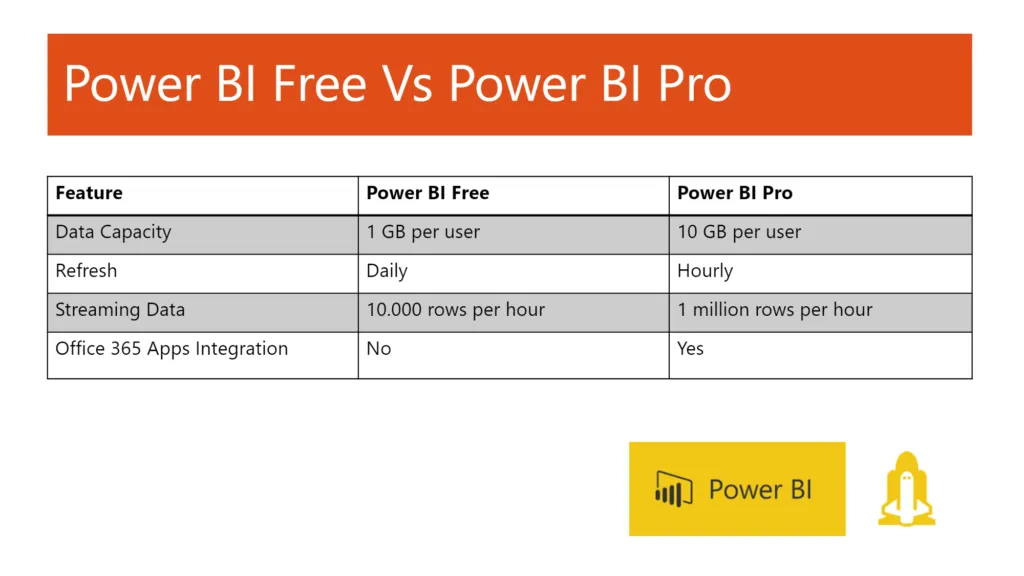
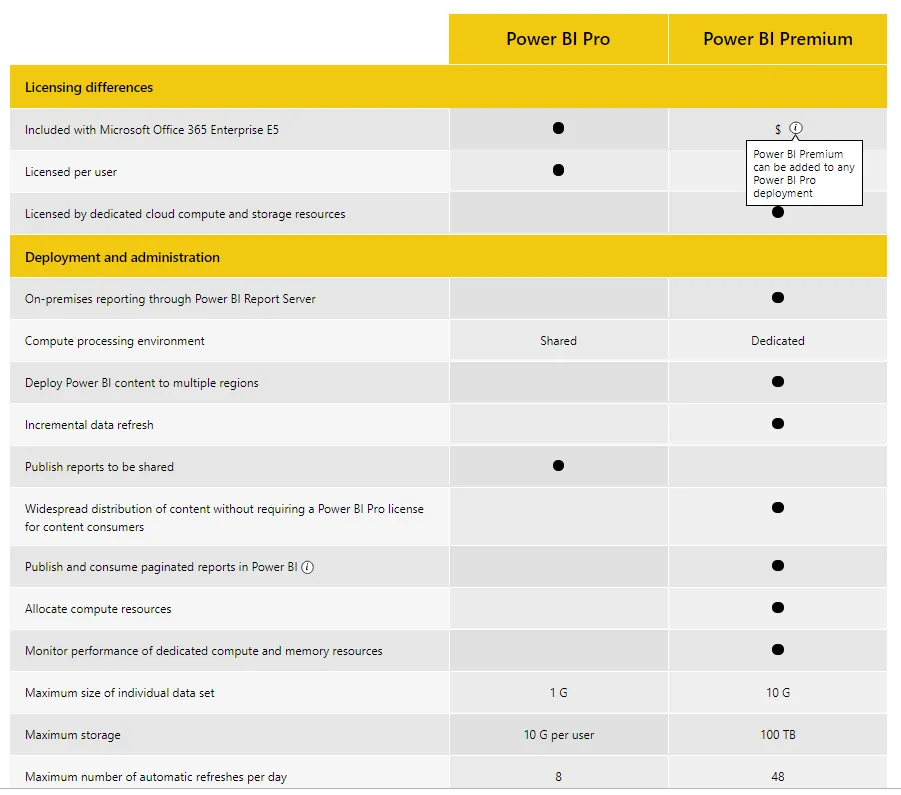
Power BI ProPremium Per UserFabric capacity (F SKU)
Licensed perUserUserCapacity (organization)
List price (US)$14 per user/month$24 per user/monthVaries by SKU and Azure region
Who can view shared contentPro or PPU usersPPU users onlyFree users too, on F64 or larger
Max semantic model size1 GB100 GBVaries by SKU
Scheduled refreshes8 per day48 per day48 per day
Deployment pipelinesNoYesYes
XMLA read/writeNoYesYes
Dedicated computeNoNoYes
Other Fabric workloads (lakehouse, warehouse, pipelines)NoNoYes

Source: Microsoft’s Power BI licensing comparison. Prices are US list prices as of October 2026; check Microsoft’s Power BI pricing page for your region and agreement.

When Power BI Pro is enough

Choose Pro when your report authors and viewers can all hold a Pro license and your models fit within 1 GB. Most small and mid-size teams start here, and Microsoft 365 E5 already includes Pro, so check what you own before buying anything.

When Premium Per User makes sense

PPU is for a limited group that has outgrown Pro: bigger models, more frequent refreshes, deployment pipelines, or XMLA access for tools like Tabular Editor. The catch is that everyone who opens content in a PPU workspace needs a PPU license, viewers included. That’s fine for a 15-person finance team and expensive for a 600-person sales org.

When Fabric capacity pays off

Capacity changes the math because you pay for compute, not people. On an F64 or larger capacity, users with a free license can view reports shared from workspaces on that capacity. Authors still need Pro or PPU to publish.

A rough way to think about it: compare the monthly cost of an F64 in your region (pay-as-you-go or reserved) against what you’d pay to give every viewer a Pro license. Past a few hundred viewers, capacity usually wins, especially with a yearly reservation. Run the numbers in the Azure pricing calculator, because Fabric pricing varies by region.

Smaller F SKUs (F2–F32) are useful for Fabric workloads like lakehouses and pipelines, and they bill pay-as-you-go so you can pause them when idle. They don’t unlock free-viewer access, though, so viewers still need Pro or PPU.

Quick decision guide

  • Building reports for yourself only? The free license and Power BI Desktop cover it.
  • Sharing with a team that all has Pro? Stay on Pro.
  • A small group needs bigger models, more refreshes or deployment pipelines? PPU for that group.
  • Hundreds of viewers, or you want lakehouses, warehouses and data pipelines too? Fabric capacity, sized to F64 or larger if free-viewer access matters.
  • Still running a P SKU? Plan the move to an F SKU before your agreement ends. Buy the F SKU first, reassign workspaces, validate, then cancel the P SKU.

FAQ

Is Power BI Premium being discontinued? Premium per capacity (P SKUs) is. Premium Per User is not. Fabric F SKUs replace P SKUs.

Do free users need a license to view reports on Fabric capacity? Not on F64 or larger, as long as they have the Viewer role on the workspace. Below F64, viewers need Pro or PPU.

Can a Pro user view content in a PPU workspace? No. Content in a PPU workspace requires a PPU license to view.

Does moving from a P SKU to an F SKU change our user licenses? No. Pro, PPU and free licenses stay the same. Only the capacity changes.

Not sure which mix is right?

Licensing usually ends up mixed: Pro for most authors, PPU for a few power users, capacity once the viewer count grows. If you’re working out that mix, or planning a P SKU to Fabric migration, our Power BI and Fabric consulting team can help you size it before you commit.